A security camera installation that protects your business starts long before any hardware goes on the wall. Without a clear plan, companies end up with blind spots, unreliable recordings, and systems that cost more to fix than they did to install. This checklist walks you through every phase of a commercial security camera deployment so you can get it right the first time.
Why You Need a Security Camera Installation Plan
Rushing into a camera installation without a structured plan is one of the most common and costly mistakes businesses make. Cameras mounted in the wrong locations create blind spots. Undersized network infrastructure leads to dropped footage. Systems that are not designed around your specific facility end up needing expensive rework within the first year.
A proper installation plan saves money, ensures complete coverage, and makes your system easier to manage and scale over time. Whether you manage a single office building or multiple construction sites across Arizona, taking time to plan each phase pays off in long-term reliability and security.
Pre-Installation Checklist
Define Security Goals
Start by identifying what you need to protect. Common objectives include monitoring building entry points, deterring theft in storage areas, documenting activity at loading docks, and verifying employee safety compliance. Rank your priorities so the system design reflects what matters most to your business.
Conduct a Site Survey
Walk your facility and document every area that needs coverage. Note lighting conditions at different times of day, potential obstructions, and the distance from each camera location to the nearest network closet. A thorough site survey is the foundation of a system that performs without gaps.
Choose Camera Types
Selecting the right camera for each location is critical. Here are the four main types used in commercial installations:
- Dome cameras — Low-profile and tamper-resistant, ideal for indoor ceilings in offices, lobbies, and retail spaces where discreet monitoring is preferred.
- Bullet cameras — Weatherproof with longer range, designed for outdoor perimeters, parking lots, and building exteriors where visible deterrence matters.
- PTZ cameras (pan-tilt-zoom) — Remotely controllable with optical zoom, suited for large open areas like warehouses, construction yards, and campus environments where operators need to track movement.
- Turret cameras — Flexible mounting angle with excellent night vision, a versatile option for both indoor and outdoor use that resists IR glare better than dome housings.
Determine Camera Placement
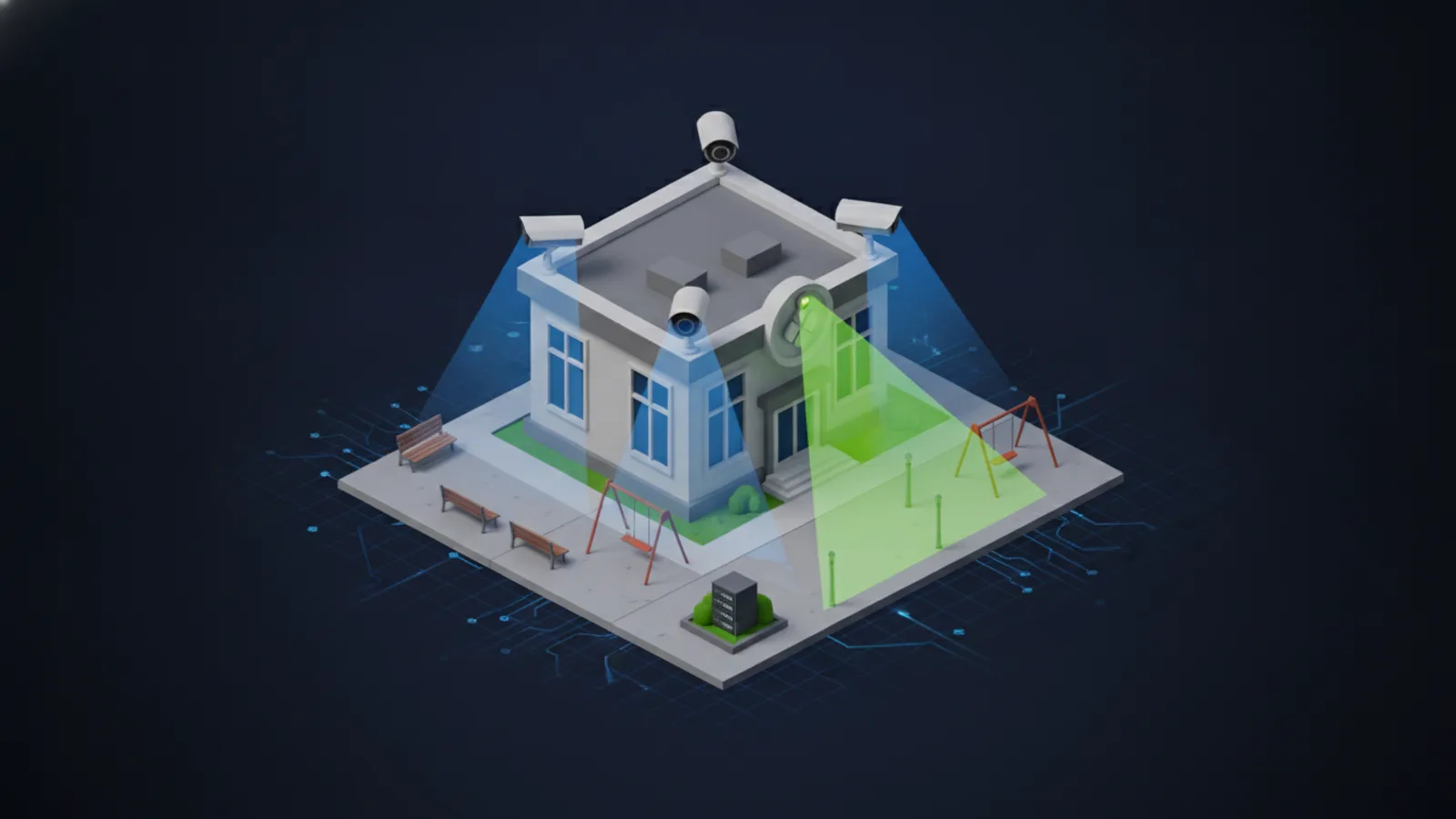
Prioritize coverage at all entry and exit points, cash handling areas, server rooms, parking areas, and any location where high-value assets are stored. Mount cameras between 8 and 14 feet high to balance image quality with tamper resistance. Ensure overlapping fields of view at critical junctions so there are no coverage gaps.
Plan Network Infrastructure
IP camera systems depend on reliable network cabling. Every camera location needs a cable home run back to a PoE switch or patch panel. If your facility does not already have structured cabling in place, plan cable pathway installation as part of the project. Running cabling after cameras are mounted is significantly more expensive and disruptive.
Choosing the Right Camera System
The two primary approaches for managing camera footage are cloud-managed platforms and on-premises NVR/DVR systems. Each has distinct advantages depending on your business size, IT resources, and budget.
Cloud-managed systems like Rhombus store footage in the cloud, provide browser-based management, and handle firmware updates automatically. They are well-suited for businesses that want simple remote access across multiple locations without maintaining on-site servers.
Avigilon offers both approaches: Avigilon Alta is a cloud-native platform with on-camera storage and cloud backup (no on-site servers required), while Avigilon Unity stores footage locally on dedicated NVR appliances such as the AI NVR 2 (up to 440TB and 400 cameras) or the compact NVR5 Workstation for smaller offices. Unity is designed for organizations with strict data sovereignty requirements, FIPS 140-2 compliance needs, or limited internet bandwidth.
When evaluating systems, consider camera resolution (4MP minimum for identification, 8MP for license plate capture), storage capacity based on your retention requirements, and built-in analytics such as motion detection, people counting, and object classification. Modern platforms from both Rhombus and Avigilon include AI-powered analytics that reduce false alerts and speed up forensic searches.
Network Requirements for IP Camera Systems
Every IP camera on your network is a device that needs bandwidth, power, and a secure connection. Getting the network infrastructure right is just as important as selecting the cameras themselves.
PoE switches: Use managed PoE+ switches that deliver sufficient wattage per port for your camera models. Budget for at least 20% headroom on total PoE power to allow for future expansion.
Bandwidth planning: A single 4MP camera streaming at 15fps generates approximately 8-12 Mbps of traffic. Multiply that across your camera count and ensure your switches and uplinks can handle the aggregate load without impacting other business traffic.
Cable runs: Use Cat6 Ethernet cable for all camera connections. Cat6 supports gigabit speeds at distances up to 328 feet (100 meters), which covers most commercial cable runs. For longer distances or inter-building connections, fiber optic cable may be required. Plan cable routes through conduit and J-hooks in accordance with local building codes. For more detail on network cabling best practices, see our dedicated guide.
Network segmentation: Place all cameras on a dedicated VLAN to isolate surveillance traffic from your production network. This improves both performance and security by preventing unauthorized devices from accessing camera feeds.
Installation Checklist
Follow these steps in order to ensure a clean, reliable installation:
- Mount cameras — Secure each camera at the positions identified during the site survey. Use appropriate mounting hardware for the surface type (concrete, drywall, metal) and verify the mounting is rigid to prevent vibration or shifting.
- Run cabling — Pull Cat6 cable from each camera location back to the network closet. Label every cable at both ends. Use cable management throughout to maintain a clean installation that passes inspection.
- Connect to PoE switch — Terminate cables at patch panels and connect to your PoE switch. Verify that each camera powers on and receives a network address.
- Configure NVR or cloud platform — Add each camera to your recording platform. Set resolution, frame rate, and recording schedules. Configure storage retention policies based on your business requirements.
- Set up remote viewing — Enable secure remote access so authorized personnel can view live and recorded footage from mobile devices and desktop computers. Use strong passwords and two-factor authentication.
- Configure motion zones and alerts — Define detection zones for each camera to reduce false alerts from trees, traffic, and other background movement. Set notification rules for after-hours activity and restricted areas.
- Test coverage and image quality — Walk the entire facility and verify there are no blind spots. Check image quality at different times of day, including nighttime with IR illumination active. Confirm that recorded footage meets your identification requirements.
- Document the system — Create a record of every camera location, IP address, login credential, cable run, and switch port assignment. This documentation is essential for troubleshooting and future expansion.
Compliance and Legal Considerations
Security camera installations must comply with federal, state, and local regulations. Arizona law generally permits video surveillance in public and commercial spaces, but there are important boundaries to understand.
Recording laws: Arizona is a one-party consent state for audio recording. However, recording audio in private spaces without consent can create legal liability. Many businesses choose video-only recording to avoid complications.
Signage requirements: While not always legally mandated, posting visible signage that video surveillance is in use is a best practice that strengthens your legal position and serves as a deterrent.
Data retention: Establish clear policies for how long footage is retained and who has access. Most businesses retain footage for 30 to 90 days, but certain industries or insurance policies may require longer retention.
Industry-specific compliance: If your business handles protected health information (HIPAA), financial data (PCI-DSS), or government contracts, your camera system and its data storage may need to meet specific security requirements. Consult with a compliance advisor to ensure your system design meets all applicable standards. Integrating cameras with access control and intrusion detection systems can help satisfy comprehensive security requirements.
Ongoing Maintenance Checklist
A security camera system requires regular maintenance to perform reliably over its lifespan. Use this schedule as a baseline:
Monthly:
- Clean camera lenses and housings, especially outdoor units exposed to dust and weather
- Check storage utilization and verify recordings are being retained for the expected duration
- Review system alerts and clear any false-positive triggers
Quarterly:
- Review camera angles and adjust for any environmental changes (new landscaping, construction, moved furniture)
- Test remote access from all authorized devices to confirm connectivity
- Verify PoE switch performance and check for any port errors or power issues
Annually:
- Apply firmware updates to all cameras and recording equipment
- Conduct a full system audit comparing current coverage against your original site survey
- Review user access permissions and remove credentials for former employees or vendors
- Assess whether additional cameras or upgraded models are needed based on changes to your facility or operations
When to Hire a Professional Installer
Small deployments of two or three plug-and-play cameras may be manageable as a DIY project. However, most commercial installations benefit significantly from professional expertise.
DIY makes sense for small offices with existing network infrastructure, minimal cabling requirements, and staff comfortable with basic network configuration. The tradeoff is limited scalability and no professional design validation.
Professional installation is the better choice when your project involves more than a handful of cameras, requires new cabling, spans multiple buildings, or needs to integrate with access control or alarm systems. A professional installer delivers a site survey, engineered system design, clean cable management, proper network configuration, and post-installation support.
Unio Digital provides end-to-end commercial security camera installation for businesses throughout Arizona. From the initial site survey through system commissioning and ongoing support, we handle every detail so your team can focus on running the business. Our technicians are experienced with both enterprise camera systems and the best camera platforms available for mid-market companies.
For more guidance on selecting the right platform, read our comparison of Rhombus vs Verkada and our guide to commercial camera installation best practices.
Ready to Install Security Cameras?
Get a free site survey and camera system design from our certified technicians.
Get a Quote